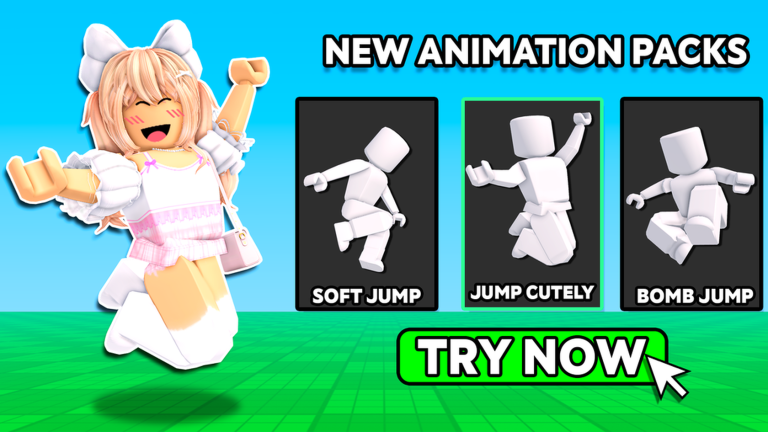
Catalog Avatar Creator is a free game that lets you test on hundreds of thousands of avatar items before you commit to buying them. You can mix and match hats, accessories, limited items, hair styles, complete bundles, and animation packs all in one place. Best of all, you're not risking Robux—everything is try-on only.
The game also hosts over 50 million community-created outfits you can browse and use as inspiration. If you find something you like, you can save it to your own profile and keep it forever.
What You Can Do
Catalog Avatar Creator gives you access to try on:
- Accessories — rings, glasses, bags, and more
- Hats — crowns, beanies, helmets, and headwear
- Limited items — exclusive pieces from Roblox's catalog
- Hair combos — hairstyles and color combinations
- Bundles — matched outfit packages
- Animation packs — custom animations for walk, idle, jump, and emote actions
Any items you purchase in-game through Catalog Avatar Creator go directly to your Roblox inventory and work in any other game on the platform.
Trying On Items
The core feature is simple: browse the catalog and see how items look on your character before spending Robux.
- Open Catalog Avatar Creator and load into your character.
- Navigate through the item categories using the menu.
- Select any item to preview it on your avatar in real-time.
- Mix and match multiple items to see full outfit combinations.
- Take a screenshot or admire the look in-game.
Browsing Community Outfits
Catalog Avatar Creator hosts a library of over 50 million outfits created by the Roblox community. This is perfect if you're looking for inspiration or want to find trending styles.
- Go to the Community Outfits section in-game.
- Browse through the collection by scrolling or using filters.
- Tap any outfit to load it and see how it looks on your character.
- If you like it, save the outfit to your profile.
Saving Your Avatars
Once you've created an avatar you love, save it in-game so you can load it again later.
- After customizing your character, find the Save option in the menu.
- Give your avatar a name to remember it by.
- Confirm to save.
- Return to load any saved avatar anytime you play.
Saved avatars stay in your Catalog Avatar Creator account permanently. If you ever buy the items you tried on, you can apply the saved look to your real Roblox character across all games.
Using Animation Packs
Animation packs let you customize how your character moves. These packs change your walk, idle stance, jump animation, and emotes.
- Open the Animation Packs section in the catalog.
- Select an animation pack to preview it on your avatar.
- Watch your character perform the walk, idle, and jump animations in real-time.
- If you like it, try on the pack with other items to see the full effect.
Buying Items in-Game
When you find something you want to keep, you can buy it directly from Catalog Avatar Creator.
- Select the item you want.
- Choose to purchase it (this costs Robux).
- Confirm the purchase.
- The item is now in your Roblox inventory and usable in all games.
This is one of the biggest advantages of Catalog Avatar Creator: you never buy an item sight-unseen. You know exactly what it looks like on your character first.