Catalog Avatar Creator is a free dress-up game where you can experiment with millions of Roblox catalog items without spending Robux. It's perfect if you want to see how accessories, hats, hair styles, animation packs, and outfits look on your character before you buy them—or just for fun. The game features a massive collection of over 50 million community-created outfits to browse and remix.
Getting Started
When you first join, you'll see your current avatar in the center of the screen. The game loads quickly and is ready to use right away. No tutorials or setup needed—just start trying things on.
Trying On Items
The main mechanic is simple: find items you like and equip them to see how they look on your avatar.
- Open the item browser or search function (usually on the left or top of the screen).
- Browse by category—hats, accessories, hair, animation packs, bundles, or limiteds—or search for specific items.
- Click on any item to preview it on your avatar.
- It appears instantly, so you can mix and match as many items as you want.
- Don't like it? Click again to remove it or try something else.
Browsing Community Outfits
One of the best features is access to over 50 million outfits created by the community. You don't have to build from scratch.
- Look for a "Community Outfits" or "Browse Outfits" section in the menu.
- Scroll through the collection to see outfits other players have made.
- Click on any outfit to apply it to your avatar instantly.
- You can then modify it by adding or removing individual items.
Saving Your Avatars
Once you've created a look you love, save it so you can find it again later.
- After customizing your avatar, look for a "Save" or "Save Outfit" button.
- Give your creation a name (optional but helpful).
- Your saved avatars are stored in-game and accessible anytime you play.
Purchasing Items
If you find something you want to actually own, you can buy it directly in-game using Robux. When you purchase an item in Catalog Avatar Creator, it goes straight into your Roblox inventory and can be used in any game that supports that item type.
Animation Packs
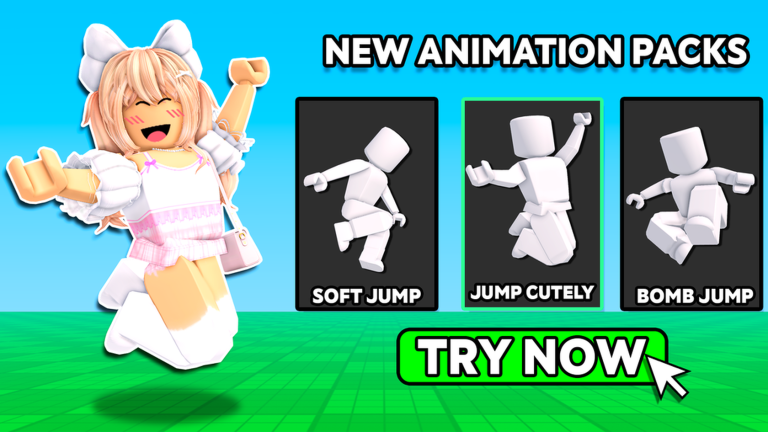
Catalog Avatar Creator includes UGC (User-Generated Content) animation packs that change how your avatar moves and emotes. You can try these on just like any other item to see if you like them before purchasing.
Common Beginner Tips
- Use filters. If you're overwhelmed by 50+ million outfits, use search and category filters to narrow down what you're looking for.
- Mix community outfits. You don't have to use a community outfit as-is. Try it on, then swap out individual pieces to make it your own.
- Test before you buy. Always try an item on in this game first. Free testing saves you Robux you might regret spending.
- Check the group. Join the official Catalog Avatar Creator Roblox Group for updates and community news.
- Your purchases are permanent. Any item you buy works in your entire Roblox inventory across all games, not just this one.
What Can You Customize?
The catalog includes:
- Hats and headwear
- Accessories (bags, belts, jewelry)
- Hair styles and combos
- Limited edition items (rare collectibles)
- Bundles (pre-made item sets)
- Animation packs (how your avatar moves)
- And much more from the Roblox catalog