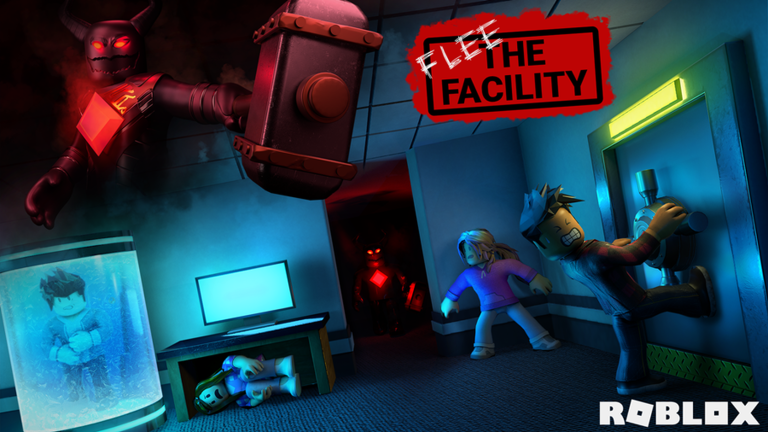
Flee the Facility is a multiplayer horror game on Roblox created by A.W. Apps. Your goal is simple: survive encounters with a dangerous beast, find your way out of the facility, and escape with other players. The game works on PC, phone, tablet, Xbox, and PlayStation.
Core Gameplay Loop
Each match follows the same basic pattern: you spawn inside a facility with other players, a beast hunts you down, and you need to unlock and reach the exits before you're caught. You can run, hide, and work together to survive. If the beast catches you, you're eliminated from the match. The last players standing who reach an exit win.
How to Move and Control Your Character
Use standard Roblox controls to move around:
- W, A, S, D — Move forward, left, backward, right
- Space — Jump
- Mouse — Look around and aim your view
- Shift — Sprint (runs faster, but makes noise that the beast can detect)
On mobile, use the on-screen joystick to move and the camera controls to look around.
Understanding the Beast
One player is chosen each round to be the beast—a powerful creature hunting everyone else. The beast is faster and stronger than regular players. It can sense movement and noise, especially sprinting. Your job is to stay away from it until you escape.
Finding and Unlocking Exits
Exits are locked doors scattered throughout the facility. To escape, you must:
- Find an exit location (look for doors that stand out from the facility walls)
- Unlock it by interacting with the keypad or mechanism nearby
- Run through the exit before the beast catches you
Multiple exits exist in each map, so you don't have to compete for one specific door. Work with teammates to unlock different exits and improve your chances.
Hiding and Survival Tactics
The facility has many hiding spots—lockers, under tables, and dark corners. Use these to your advantage:
- Hide when the beast is close and you can't outrun it
- Stay quiet and still while hiding; movement or noise will give away your location
- Leave your hiding spot only when the beast moves away
- Never all hide in the same spot—spread out to avoid getting caught together
Teamwork and Strategy
You spawn with other players (the exact number depends on the server). Work together by:
- Splitting up to cover more ground and unlock multiple exits
- Sharing information about the beast's location with teammates
- Creating distractions so teammates can escape
- Timing your sprint to the exit when the beast is occupied elsewhere
Common Beginner Mistakes
- Sprinting too much — Sprinting is loud and attracts the beast. Use it only when necessary.
- Standing still for too long — The beast will find you. Keep moving or hide in different spots.
- Not exploring the map — Knowing where exits and hiding spots are gives you a huge advantage. Play multiple rounds to learn the layout.
- Ignoring your team — You're stronger together. Help teammates find exits and warn them of danger.
- Panicking when chased — Stay calm. Sprint toward the nearest exit or hiding spot. Randomly running makes you an easy target.
Getting Started
- Launch Flee the Facility from Roblox
- Wait for the match to start. You'll spawn inside the facility with other players
- A few seconds in, the beast will spawn. Start moving immediately
- Explore the map to find exits and hiding spots
- Work with teammates to unlock exits and escape before the beast catches you
Your first few matches will feel chaotic, but each one teaches you more about the map and how to survive. Pay attention to where exits are, which areas the beast hunts in, and how fast you can move from one spot to another.