Roblox Studio Networking
How to Make a Global Message in Roblox Studios (Copy & Paste)

You’ll set up two RemoteEvents in ReplicatedStorage and wire up a client banner UI + F2 toggle panel.
Anyone can send (this version), and the server broadcasts to all players with a small cooldown and length clamp.
Create the two RemoteEvents (ReplicatedStorage)
- ReplicatedStorage ▸ RemoteEvent → Name: AdminGlobalMessage (client → server)
- ReplicatedStorage ▸ RemoteEvent → Name: GlobalMessage (server → all clients)
Keep only these two remotes in ReplicatedStorage for this feature.
Client (LocalScript) — StarterPlayer ▸ StarterPlayerScripts
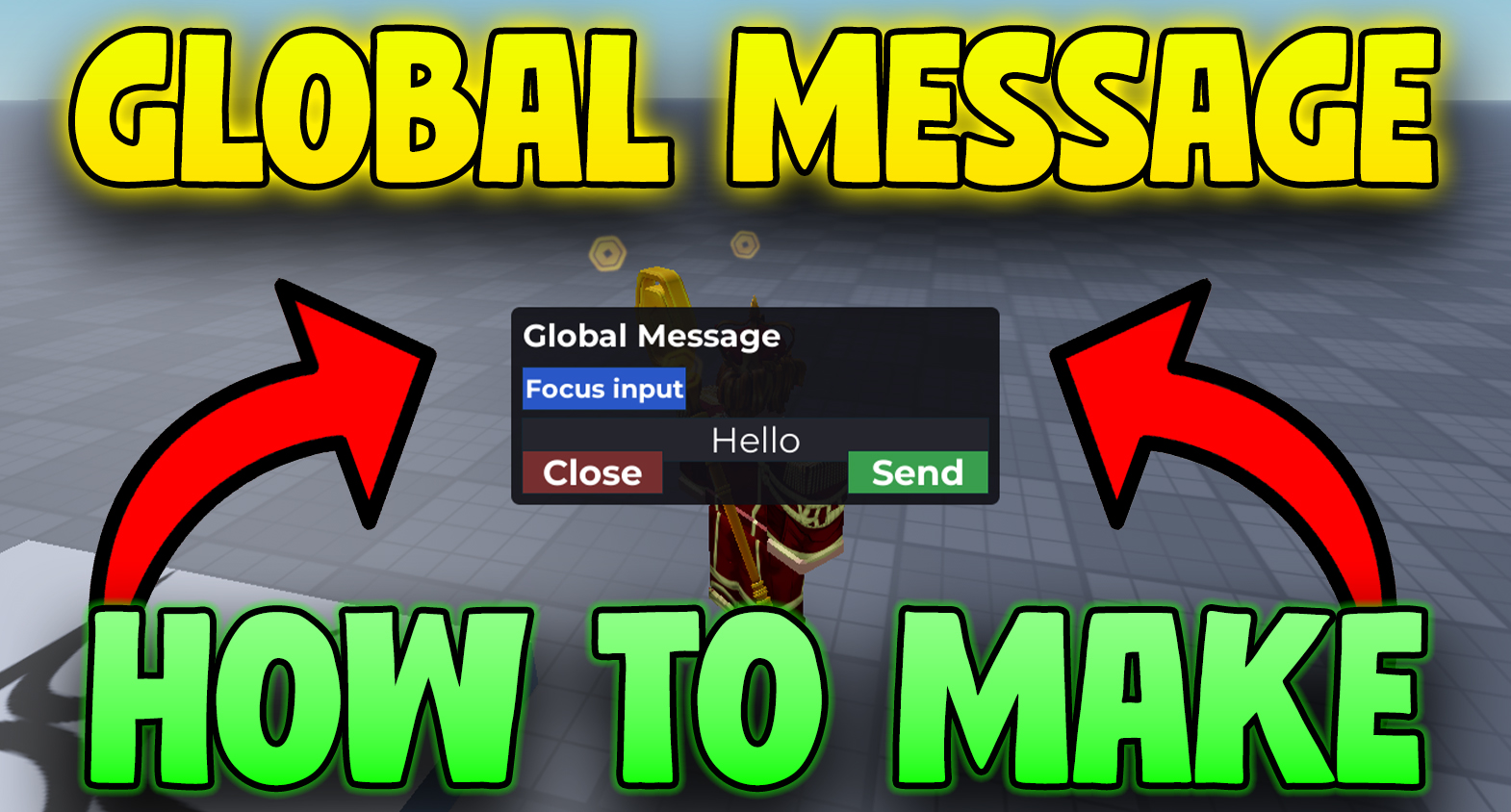
This script builds the slide-down banner for incoming messages and a simple panel you can toggle with F2 to send one.
-- StarterPlayerScripts > LocalScript
-- F2 toggles the panel for EVERYONE (no admin check).
-- "Send" will fire AdminGlobalMessage. Also shows the slide-down banner on GlobalMessage.

local ReplicatedStorage = game:GetService("ReplicatedStorage")
local TweenService = game:GetService("TweenService")
local UserInputService = game:GetService("UserInputService")
local Players = game:GetService("Players")

local REMOTE_SEND   = ReplicatedStorage:WaitForChild("AdminGlobalMessage")
local REMOTE_GLOBAL = ReplicatedStorage:WaitForChild("GlobalMessage")

local player = Players.LocalPlayer

-- =======================
-- Banner UI (global messages)
-- =======================
local bannerGui = Instance.new("ScreenGui")
bannerGui.Name = "GlobalMessages"
bannerGui.IgnoreGuiInset = true
bannerGui.ResetOnSpawn = false
bannerGui.DisplayOrder = 1000
bannerGui.Parent = player:WaitForChild("PlayerGui")

local banner = Instance.new("Frame")
banner.Name = "Banner"
banner.Size = UDim2.new(1, 0, 0, 60)
banner.Position = UDim2.new(0, 0, 0, -60) -- hidden above screen
banner.BackgroundColor3 = Color3.fromRGB(30, 30, 30)
banner.BackgroundTransparency = 0.25
banner.Visible = false
banner.Parent = bannerGui

local bannerCorner = Instance.new("UICorner")
bannerCorner.CornerRadius = UDim.new(0, 6)
bannerCorner.Parent = banner

local bannerLabel = Instance.new("TextLabel")
bannerLabel.Size = UDim2.new(1, -20, 1, 0)
bannerLabel.Position = UDim2.new(0, 10, 0, 0)
bannerLabel.BackgroundTransparency = 1
bannerLabel.TextScaled = true
bannerLabel.Font = Enum.Font.GothamBold
bannerLabel.TextColor3 = Color3.new(1, 1, 1)
bannerLabel.TextStrokeTransparency = 0.5
bannerLabel.Text = ""
bannerLabel.Parent = banner

local function showBanner(text, color)
    bannerLabel.Text = text
    bannerLabel.TextColor3 = color or Color3.new(1,1,1)
    banner.Visible = true

    -- slide in
    TweenService:Create(
        banner,
        TweenInfo.new(0.3, Enum.EasingStyle.Quad, Enum.EasingDirection.Out),
        { Position = UDim2.new(0, 0, 0, 0) }
    ):Play()

    task.wait(3) -- hold

    -- slide out
    TweenService:Create(
        banner,
        TweenInfo.new(0.3, Enum.EasingStyle.Quad, Enum.EasingDirection.In),
        { Position = UDim2.new(0, 0, 0, -60) }
    ):Play()

    task.wait(0.3)
    banner.Visible = false
end

REMOTE_GLOBAL.OnClientEvent:Connect(showBanner)

-- =======================
-- Panel UI (F2 for everyone)
-- =======================
local adminGui = Instance.new("ScreenGui")
adminGui.Name = "AdminPanel"
adminGui.IgnoreGuiInset = true
adminGui.ResetOnSpawn = false
adminGui.DisplayOrder = 2000
adminGui.Enabled = false -- hidden by default
adminGui.Parent = player:WaitForChild("PlayerGui")

local panel = Instance.new("Frame")
panel.Name = "Panel"
panel.Size = UDim2.new(0, 420, 0, 170)
panel.Position = UDim2.new(0.5, -210, 0.5, -85)
panel.BackgroundColor3 = Color3.fromRGB(20, 20, 25)
panel.BackgroundTransparency = 0.1
panel.Parent = adminGui

local panelCorner = Instance.new("UICorner")
panelCorner.CornerRadius = UDim.new(0, 8)
panelCorner.Parent = panel

local title = Instance.new("TextLabel")
title.BackgroundTransparency = 1
title.Size = UDim2.new(1, -20, 0, 32)
title.Position = UDim2.new(0, 10, 0, 8)
title.Text = "Global Message"
title.TextScaled = true
title.Font = Enum.Font.GothamBold
title.TextColor3 = Color3.fromRGB(255, 255, 255)
title.TextXAlignment = Enum.TextXAlignment.Left
title.Parent = panel

local gmButton = Instance.new("TextButton")
gmButton.Name = "GlobalMessageButton"
gmButton.Size = UDim2.new(0, 140, 0, 36)
gmButton.Position = UDim2.new(0, 10, 0, 52)
gmButton.Text = "Focus input"
gmButton.TextScaled = true
gmButton.BackgroundColor3 = Color3.fromRGB(45, 90, 200)
gmButton.TextColor3 = Color3.new(1,1,1)
gmButton.Font = Enum.Font.GothamBold
gmButton.AutoButtonColor = true
gmButton.Parent = panel

local msgInput = Instance.new("TextBox")
msgInput.Name = "MessageInput"
msgInput.Size = UDim2.new(1, -20, 0, 36)
msgInput.Position = UDim2.new(0, 10, 0, 96)
msgInput.BackgroundColor3 = Color3.fromRGB(40, 40, 48)
msgInput.TextColor3 = Color3.new(1,1,1)
msgInput.PlaceholderText = "type your message here..."
msgInput.Text = ""
msgInput.TextScaled = true
msgInput.ClearTextOnFocus = false
msgInput.Font = Enum.Font.Gotham
msgInput.Parent = panel

local send = Instance.new("TextButton")
send.Name = "SendButton"
send.Size = UDim2.new(0, 120, 0, 36)
send.Position = UDim2.new(1, -130, 1, -46)
send.Text = "Send"
send.TextScaled = true
send.BackgroundColor3 = Color3.fromRGB(60, 160, 80)
send.TextColor3 = Color3.new(1,1,1)
send.Font = Enum.Font.GothamBold
send.AutoButtonColor = true
send.Parent = panel

local close = Instance.new("TextButton")
close.Name = "CloseButton"
close.Size = UDim2.new(0, 120, 0, 36)
close.Position = UDim2.new(0, 10, 1, -46)
close.Text = "Close"
close.TextScaled = true
close.BackgroundColor3 = Color3.fromRGB(120, 50, 50)
close.TextColor3 = Color3.new(1,1,1)
close.Font = Enum.Font.GothamBold
close.AutoButtonColor = true
close.Parent = panel

-- Toggle with F2 (no admin gate)
UserInputService.InputBegan:Connect(function(inputObj, gpe)
    if gpe then return end
    if inputObj.KeyCode == Enum.KeyCode.F2 then
        adminGui.Enabled = not adminGui.Enabled
        if adminGui.Enabled then
            msgInput:CaptureFocus()
        end
    end
end)

close.MouseButton1Click:Connect(function()
    adminGui.Enabled = false
end)

gmButton.MouseButton1Click:Connect(function()
    msgInput:CaptureFocus()
end)

send.MouseButton1Click:Connect(function()
    local text = msgInput.Text or ""
    local color = nil -- you can pass Color3.new(...) if you want per-message colors
    REMOTE_SEND:FireServer(text, color)

    -- tiny visual feedback on the Send button
    TweenService:Create(send, TweenInfo.new(0.1), {BackgroundColor3 = Color3.fromRGB(80, 200, 110)}):Play()
    task.delay(0.12, function()
        if send then send.BackgroundColor3 = Color3.fromRGB(60, 160, 80) end
    end)
end)
Server (Script) — ServerScriptService
This accepts any player sending a message (no admin check) and broadcasts to all clients with a small cooldown and length limit.
-- ServerScriptService > Script
-- Accepts ANY player's request and broadcasts to all clients (no admin check).

local ReplicatedStorage = game:GetService("ReplicatedStorage")
local Players = game:GetService("Players")

local REQ = ReplicatedStorage:WaitForChild("AdminGlobalMessage")
local BROADCAST = ReplicatedStorage:WaitForChild("GlobalMessage")

-- Basic anti-spam & safety
local COOLDOWN = 3.0          -- seconds between sends per player (adjust as you like)
local MAX_LEN  = 140          -- clamp message length
local lastSent = {}           -- per-player timestamp

local function sanitize(s)
    s = tostring(s or "")
    s = s:gsub("^%s+", ""):gsub("%s+$", "") -- trim
    s = s:gsub("[%c]", " ")                 -- strip control chars
    if #s > MAX_LEN then s = s:sub(1, MAX_LEN) end
    return s
end

REQ.OnServerEvent:Connect(function(player, rawText, optionalColor)
    if not player or not player:IsDescendantOf(Players) then return end

    -- cooldown per player
    local now = os.clock()
    if (now - (lastSent[player] or 0)) < COOLDOWN then
        return
    end
    lastSent[player] = now

    local text = sanitize(rawText)
    if text == "" then return end

    local color = typeof(optionalColor) == "Color3" and optionalColor or nil
    BROADCAST:FireAllClients(text, color)
    print(("[GlobalMessage] %s: %s"):format(player.Name, text))
end)
Quick test & tweaks
Checklist
- ReplicatedStorage has AdminGlobalMessage and GlobalMessage (RemoteEvents).
- ServerScript is in ServerScriptService.
- LocalScript is in StarterPlayer ▸ StarterPlayerScripts.
- Press Play → hit F2 → type text → Send. A banner slides down for everyone.
Optional knobs
- Owner-only: add if player.UserId ~= game.CreatorId then return end before broadcasting.
- Duration: change the task.wait(3) in showBanner.
- Queue: want a message queue so rapid sends line up? I can add it—just say the word.
Related Roblox Studio guides