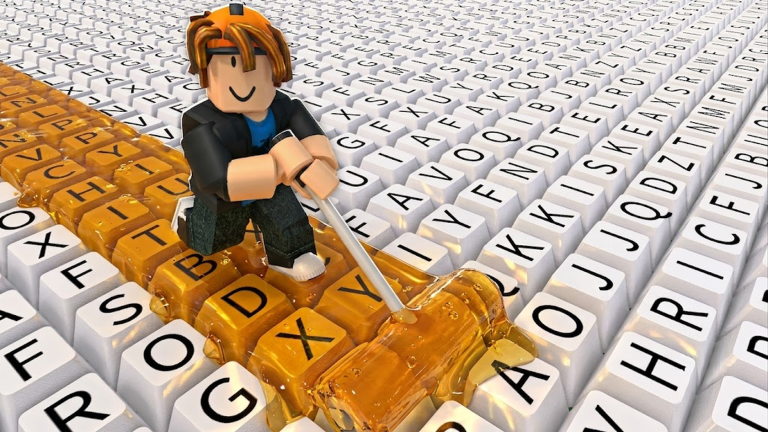
Paint My Keyboard! is all about creativity and satisfaction. You'll paint keyboard keys with different colors, earn money from your painted designs, and gradually unlock better paints and upgrades. The core goal? Build the biggest, most colorful keyboard possible.
The game plays in real-time as you work on your keyboard, so there's no pressure to rush. Just grab your roller, pick a color, and start painting.
Your First 10 Minutes
1. Launch the game and pick your starter paint color. You'll see your keyboard waiting for you. The game gives you a basic paint to begin with.
2. Grab your roller. Your painting tool appears on screen. This is what you'll use to apply paint to keyboard keys.
3. Paint your first keys. Tap or click on keyboard keys to paint them with your selected color. Each key you paint looks satisfying as it changes color.
4. Watch the cash pile up. Painted keys generate cash over time or instantly. You'll see your money counter increasing as you paint more keys.
5. Explore the paint menu. Check out what other colors are available. Most cost cash to unlock, so you'll need to paint more keys first.
6. Paint more keys to earn faster. The more you paint, the more cash you collect. This unlocks upgrades and new paint colors.
Core Gameplay Loop
Here's what you'll do over and over:
- Paint keys — Use your roller on unpainted keyboard keys to apply color.
- Collect cash — Painted keys generate money that you gather.
- Spend cash on paints — Unlock new colors and paint styles.
- Upgrade your roller — Better rollers paint faster or more efficiently.
- Expand your keyboard — Add more keys to paint as you progress.
The cycle repeats as your keyboard grows and gets fancier. Each new paint color or roller upgrade makes the process feel fresh.
Main Mechanics to Know
Painting. Select a color, then paint keys by interacting with them. Your roller applies the paint instantly or over a few taps depending on the paint type.
Cash generation. Painted keys are your income source. The more keys you've painted, the faster your cash grows. This is your main currency for unlocking new colors.
Paint unlocking. Spend your earned cash to unlock new paint colors. More colors mean more variety and often better-looking keyboards.
Roller upgrades. Upgrade your painting tool to work faster or more effectively. This speeds up your painting process significantly.
Keyboard expansion. Grow your keyboard by adding new keys. A bigger keyboard means more painting opportunities and more total cash generation.
First Goals to Aim For
Paint 20 keys. This early milestone gets you comfortable with the painting mechanic and generates a decent cash cushion.
Unlock your first new paint color. Once you have 1–2 color options, you can create actual designs instead of just filling keys randomly.
Upgrade your roller once. A better roller makes painting faster, which snowballs into faster cash generation.
Expand your keyboard. Add a new section of keys to paint. This doubles your available painting space and earning potential.
From there, the cycle of paint → cash → upgrades → bigger keyboard becomes your rhythm.
Mistakes to Avoid Early On
Spending cash too fast. Don't unlock every paint color immediately. Focus on a few colors and upgrades that genuinely help you progress faster.
Ignoring roller upgrades. It's tempting to only buy new paints, but upgrading your roller pays off quickly by speeding up your painting.
Not expanding your keyboard. At some point, you'll plateau earning cash from your current keys. Expand early and often to keep growth steady.
Painting randomly. Plan your color scheme before you start. Organized keyboards look better and feel more satisfying to paint.
Basic Controls
Paint My Keyboard! is simple to control:
- Mouse / Touch — Click or tap keys to paint them with your active paint color.
- Menu buttons — Navigate upgrades, paint colors, and keyboard expansions using on-screen buttons.
There are no complex combos or timing challenges. Just point, tap, and paint.