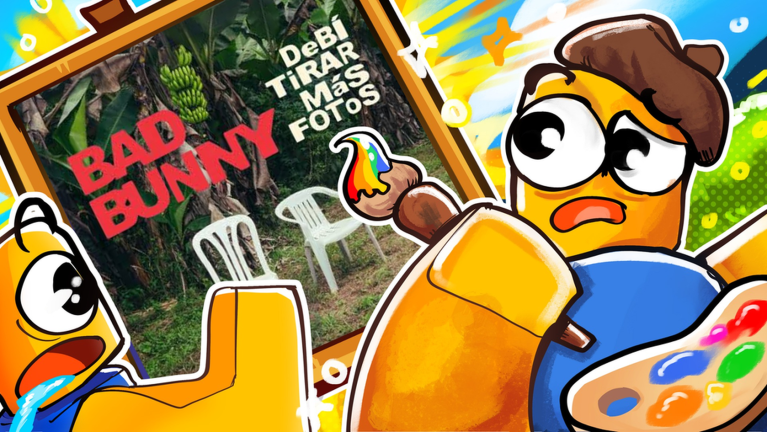
Paint an Album is a chill 4-player game where you recreate album covers one block at a time. Join a lobby with up to 3 friends, search for any album you want, and paint it together. It's about creativity and having fun—no pressure, no timer.
Getting Started
When you join the game, you'll see a lobby with 4 open plots. Each plot is your personal canvas where you and others in your lobby can see your progress in real-time.
- Claim a plot. Walk up to one of the 4 plots and interact with it. This becomes your workspace for the session.
- Open the search tool. Look for the search interface on your screen (usually accessible from your plot or a menu button).
- Search for an album. Type the album name, artist name, or album title you want to paint. The game pulls from a live database, so almost any real album cover should be available.
- Load the album cover. Select your search result, and the album art will appear on your plot as a grid.
Painting Your Cover
Once an album is loaded onto your plot, it shows as a pixelated grid. Your job is to paint each block to match the cover.
- Select a color. The game gives you a color picker or palette. Choose the color you need from the album art.
- Click or tap a block. Paint one block at a time by clicking or tapping the grid squares. You'll see your progress update instantly.
- Keep painting. Continue filling in blocks until your entire plot matches the album cover. Go at your own pace—there's no rush.
Your friends in the same lobby will see your plot updating in real-time, so you can watch each other work and cheer each other on.
Playing with Friends
Paint an Album is designed for 4 players in one lobby, each with their own plot.
- See others paint. Watch your friends' progress live as they work on their own covers. Each player has their own separate plot, so you won't interfere with each other.
- Pick different albums. Each player can search for and paint a different album, or you can all work on the same cover on separate plots—it's up to you.
- Invite friends. Send invites to pals and have them join your lobby before claiming a plot.
Auto-Save and Progress
One of the best features of Paint an Album is that your work is never lost.
- Your progress saves automatically. You don't have to manually save—the game does it for you.
- Pick up where you left off. If you leave the game, crash, or go AFK, your plot stays exactly as you painted it. When you return and claim that plot again, you'll see all your blocks exactly as you left them.
- No restarting. You can work on a cover over multiple sessions without losing any progress.
Common Beginner Mistakes
- Rushing to finish. There's no timer or competition here. Take your time and enjoy the relaxing process of painting. It's the fun that matters, not speed.
- Not checking the color picker. Make sure you're picking the right color before painting blocks. It's easy to grab the wrong shade and have to repaint.
- Forgetting your plot will save. Don't worry if you need to leave mid-session. Your plot will be waiting for you when you come back, blocks and all.
- Searching for very obscure albums. While the database is huge, extremely rare or very new albums might not be in it yet. Try searching for variations of the name if your first search comes up empty.
What to Do Next
Once you finish an album, you have several options:
- Search for another album and paint it on the same plot.
- Leave the lobby and join a new one with different players.
- Help your friends finish their albums by watching and offering tips.
- Try painting albums you've never heard of to discover new music.
Paint an Album is all about doing what you find fun. There's no winning or losing—just painting, creativity, and good vibes with other players.