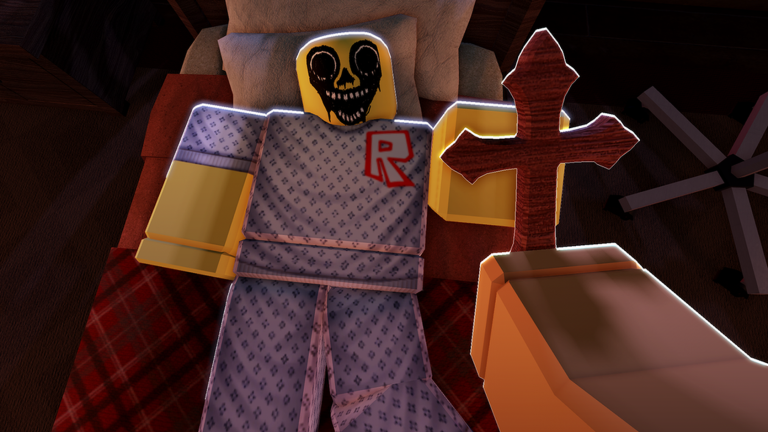
Night At The Infirmary (Anomaly) is a horror game where you work the night shift at a mysterious infirmary. Patients check in throughout the night, but your job is to examine them carefully — not everyone is who they appear to be. The game includes flashing lights, jumpscares, and eerie encounters designed to keep you on edge.
Here's how to get started and survive your shift.
What You Need to Know
This game is still in Beta, so expect occasional bugs. The developers recommend playing with headphones and high graphics settings enabled for the full experience. Flashing lights and sudden scares are built into the gameplay, so be prepared for jumpscares.
Starting Your Shift
- Join the game. Click the green "Play" button to enter the infirmary.
- Wait for your first patient. You'll spawn inside the infirmary building. Your shift begins immediately.
- Pay attention to the environment. The game will introduce you to the setting and give you time to orient yourself before the first encounter.
Examining Patients
Patients will arrive throughout the night. When someone arrives:
- Observe them carefully as you interact with them.
- Look for signs of what might be unusual or wrong about them.
- Remember that some patients are not what they seem — appearances can be deceiving.
- Take your time and use your senses to determine what you're really dealing with.
The core challenge is examining each patient and figuring out what makes them different or dangerous.
Surviving the Night
This is a horror game, so survival isn't just about following a checklist:
- Stay alert. Pay attention to sounds, visual cues, and patient behavior.
- Expect the unexpected. Jumpscares and anomalies can happen at any time.
- Use your instincts. If something feels wrong about a patient, it probably is.
- Complete your shift. Your goal is to make it through the entire night.
Graphics and Settings
The game is designed with high graphics in mind. Before you start:
- Check your Roblox graphics settings (found in the gear icon).
- Set graphics quality as high as your device can handle.
- Higher graphics help you spot visual anomalies more easily.
Reporting Bugs
Since this game is in Beta, bugs can occur. If you find something that doesn't work right:
- Visit the official forums or community server.
- Describe what happened and when it occurred.
- Help the developers improve the game.