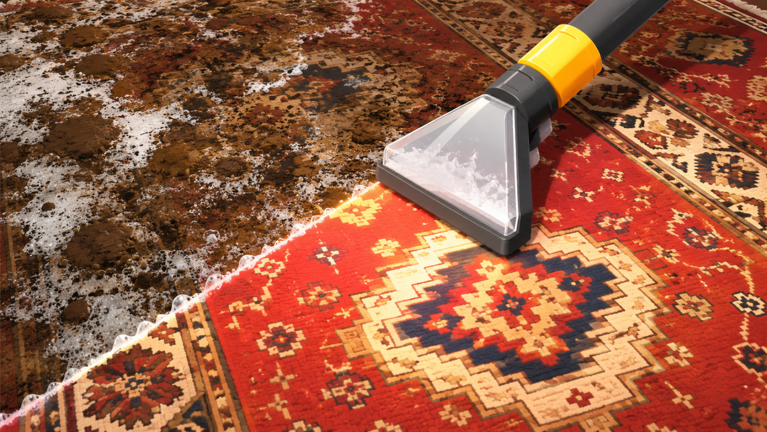
Carpet Cleaning Simulator is a chill, hands-on game about restoring dirty carpets and making rooms look perfect. You take on cleaning jobs, use tools to scrub and spray stains away, and gradually upgrade your gear. The core loop is simple: accept a job, clean the carpet thoroughly, get paid, and repeat. There are also pets you can hatch and collect to help you out along the way.
Here's how to get started and understand what the game is all about.
Starting Your First Job
- Open the job menu. When you first load into the game, look for a way to accept cleaning jobs — usually a board or NPC interaction prompt.
- Pick a job. Select your first cleaning task. Early jobs will be smaller and less stained, perfect for learning the mechanics.
- Enter the room. You'll spawn into a space with a dirty carpet that needs cleaning.
How to Clean Carpets
The cleaning process uses three main actions:
- Scrubbing. Use your scrubbing tool to rub away dirt and stains. Work over the stained areas until they lighten up. Patience helps — some stains take multiple passes.
- Spraying. Spray cleaner or water on the carpet to break down grime and help with scrubbing. This often makes stains easier to remove.
- Vacuuming or drying. Once you've cleaned, finish the job by removing excess water and debris to leave the carpet clean and dry.
The game rewards you for a thorough job. Take your time and make sure every visible stain is gone before you consider the room complete.
Earning Money and Upgrading
When you finish a cleaning job, you earn in-game currency. Use this money to buy better gear — upgraded scrubbers, stronger cleaning solutions, and more efficient tools. Better equipment makes harder jobs faster and easier.
As you progress, you'll unlock access to bigger, messier rooms with tougher stains. These pay more but require better gear and more skill to complete.
Collecting Pets
One of the newer features in Carpet Cleaning Simulator is pets. You can hatch and collect cute companions who clean alongside you. These pets help speed up your work and add a fun collection element to the game. Keep an eye out for opportunities to hatch new pets as you play.
Beginner Tips
- Start small. Your first few jobs are deliberately easier. Use them to understand how scrubbing, spraying, and drying work before tackling bigger messes.
- Check your whole carpet. Sometimes stains hide in corners or under furniture. Scan the entire room before calling the job done.
- Upgrade gradually. You don't need the best gear immediately. Earn money from easy jobs, buy one upgrade, then move to slightly harder work.
- Enjoy the vibe. The game is meant to be calming. Put on music, zone out, and let the satisfying cleaning process be the main attraction — winning isn't the point.
- Meet the occasional guest. The game mentions an unexpected character named Robbie. If you spot something unusual, don't be alarmed — it's all part of the experience.
Core Gameplay Loop
Once you understand the basics, the game follows a comfortable rhythm:
- Pick a cleaning job from the board.
- Clean the carpet using scrubbing, spraying, and drying.
- Finish the job and collect your payment.
- Upgrade your gear or hatch a new pet.
- Repeat with increasingly challenging rooms.
There's no timer pressure or fail condition — you can take as long as you need and always retry a job if you want. The goal is to relax while making things clean again.