Author: tallent.jude

  • Grow a Garden Chi Farming – Zen Event Guide

    Grow a Garden Chi Farming – Zen Event Guide


    Grow a Garden Chi Farming – Zen Event Guide


    Grow a Garden Chi Farming

    Learn how to farm Chi in the new Zen event—grab Tranquil mutations, trade them in, and unlock pro strategies with T‑Rex & Octopus.

    Zen Event Overview

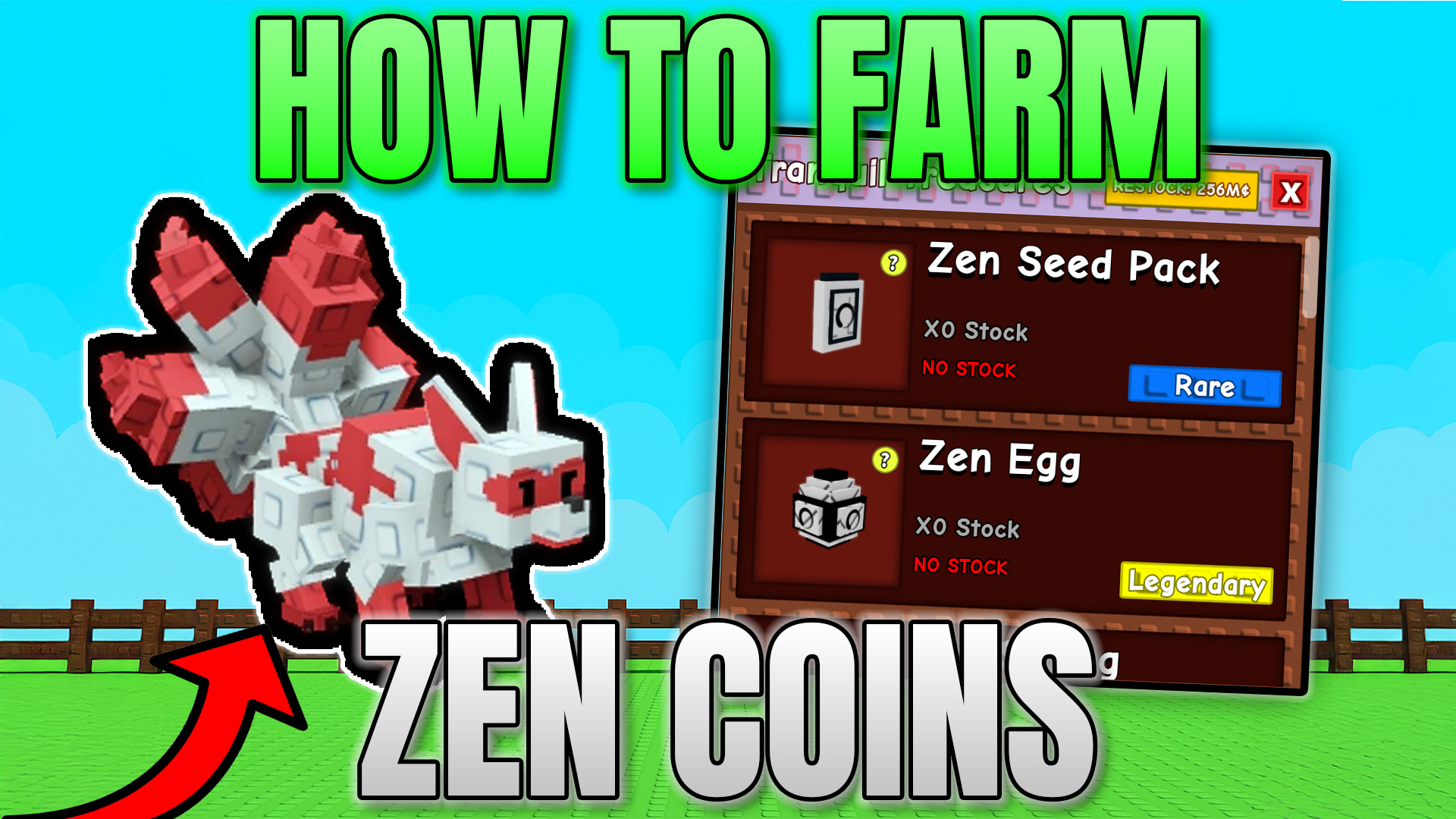
    The Zen event runs hourly: for the first 10 minutes of each hour, floating orbs will land on random plants, mutating them into Tranquil variants. Those mutated plants are your currency—each one nets Chi when traded.

    Basic Chi Farming Strategy

    1. Prepare a secondary plot: Clear everything except high‑yield prismatic crops (e.g. Bean Stock, Sugar Apple).
    2. Wait for Tranquil orbs: During the 10‑minute window, collect up to 10 Tranquil plants per hour.
    3. Trade in at the Zen Channeler: Swap each Tranquil for Chi (8 Chi each for prismatic rarity).

    At 10 mutations × 8 Chi = 80 Chi per hour on a basic setup.

    Advanced Pro Strategy

    • Use T‑Rex pet: Every ~20 minutes a T‑Rex spreads Tranquil from one plant to up to four nearby—netting extra mutations.
    • Deploy Mimic Octopus: It duplicates the T‑Rex’s spread ability, doubling your pro gains.
    • Clean unwanted mutations: Use Cleaning Spray to remove other mutations—focus on Tranquil only.
    • Macro & AFK: Set up an AFK macro to auto‑harvest at the end of each window, then rinse and repeat for hours of nonstop Chi.

    Trade‑In & Upgrades

    Trading Tranquil in also levels up your Zen Channeler, unlocking new items and higher Chi rewards. Note that restocking seeds or Zen eggs doubles cost each time, so maximizing refund rates (via koi pet) or spread rates (via T‑Rex) saves you trillions.

    Discord & Upcoming Macro

    Join our Discord server for live event alerts, stock notifiers, and early access to our official Zen‑event macro. Happy farming!


    Back to Top


  • Grow a Garden Koi Pet – Refund Zen Eggs & Infinite EGGS

    Grow a Garden Koi Pet – Refund Zen Eggs & Infinite EGGS


    Grow a Garden Koi Pet – How to Refund Zen Eggs & Infinite Hatching


    Grow a Garden Koi Pet

    Discover how the new Mythic Koi pet in the Zen update can refund your Zen eggs as you hatch—plus tips to stack koi, gear, and mutations for the ultimate infinite-hatch strategy.

    Introduction

    In the latest Grow a Garden Zen update, the Mythic Koi pet introduces a groundbreaking ability: a chance to refund any non‑premium egg immediately upon hatching. No longer are Zen eggs lost forever—hatch, and you may get the egg right back in your inventory!

    How the Koi Refund Ability Works

    • Base Refund Rate: At level 1, each Koi has a 0.6% chance to return the hatched egg.
    • Eligible Eggs: Zen eggs, past event eggs (Paradise, Bug), and any non‑premium drops.
    • Limitations: Premium/exotic shop eggs cannot be refunded.

    Boosting Your Refund Chance

    0.6% may seem small, but you can rapidly improve it:

    1. Stack Multiple Koi: Each Koi adds its own chance. A team of eight at level 1 yields ~4.8% per hatch.
    2. Level Up: As the Koi levels, its passive refund percentage increases significantly.
    3. Pet Mutations:
      • Gold Mutation: +10% to passive ability.
      • Rainbow Mutation: +20% to passive ability.
    4. Pet Gear & Toys:
      • XP-Boosting Gear: Level koi faster.
      • Medium Pet Toy: +1.5× to passive—turn 0.6% into ~0.9%. A full team can exceed 10% refund chance!

    Best Zen Egg Grinding Strategy

    To maximize Zen egg refunds, follow this setup:

    • Equip a team of 6–8 Koi pets with gold or rainbow mutations.
    • Attach XP-gear and the medium pet toy to each koi.
    • Hatch Zen eggs in bulk; after every hatch, collect any refunded egg and immediately hatch again.
    • Rinse and repeat—expect roughly 1 refund per 10–20 hatches once fully upgraded.

    Why the Koi Outshines Other Pets

    No other pet offers a direct egg refund mechanic. While Pets like the Golden Lab or Sheba boost harvests, only the Koi lets you loop hatches indefinitely, saving you billions in Zen egg costs and unlocking infinite farming potential.

    Get Your Own Koi & Join the Giveaway

    Want a free Koi? I’m giving one away to a lucky subscriber. Simply comment your username below and like this page to enter. Also, join our Discord server for stock alerts on Koi, eggs, and more!

    Back to Top


  • Grow a Garden FAQ Lie – Why Plant Size Does MATTER

    Grow a Garden FAQ Lie – Why Plant Size Does MATTER


    Grow a Garden FAQ Lie – Why Plant Size Does Matter


    Grow a Garden FAQ Lie

    Find out why the Grow a Garden FAQ claiming “size doesn’t matter” is false. Explore the Burning Bud’s multi-crop mechanic and maximize your harvest.

    Introduction

    The official Grow a Garden FAQ states that plant size is purely cosmetic—that bigger plants don’t yield extra fruit. In fact, that statement is 100% a lie. I’ve discovered at least one crop that directly contradicts this rule, and it may not be the only one.

    The FAQ Claim

    In their Discord and on the Grow a Garden wiki, the FAQ lists several facts—sprinkler stacking, pet bonuses, etc.—and explicitly says that larger plants only look impressive but do not improve yield. This influenced the community’s belief for months.

    The Burning Bud Exception

    Meet the Burning Bud. Normally it yields a single flower per plant, regardless of size. However, I found a specimen that consistently produced two flowers on the same stalk. Others have even reported seeing three off a single Burning Bud!

    How It Works

    • Size Correlates to Yield: The taller and thicker the Burning Bud’s stalk, the more flowers it can bear—up to three or more when “overgrown.”
    • Wiki Confirmation: The Grow a Garden wiki entry for Burning Bud even notes “can grow up to three flowers per stalk, and more if overgrown.” Yet the FAQ never updated to reflect this.

    Why This Matters

    Most crops have a fixed cap on fruits (e.g., Sunflower always one, Moon Mango up to four). Burning Bud’s uncapped yield makes it uniquely powerful for cash-farming. For example, at a base sell value of ~70,000 per flower, a triple-flower Burning Bud can net over 210,000 per harvest—and that only grows more as its size increases.

    Profit Strategy

    1. Grow your Burning Bud under ideal conditions (sprinklers, pets, pet gear) to maximize its physical size.
    2. Harvest only when it’s “overgrown,” then replant and repeat.
    3. Use a garden calculator to compare this yield versus other prismatic or event plants—the Burning Bud often wins.

    Conclusion

    The FAQ’s “size doesn’t matter” entry is outdated or simply wrong. Bigger Burning Buds yield more flowers, directly breaking that rule. If you’ve spotted similar size-based exceptions in other crops, share them in the comments below—let’s update the community’s knowledge!


  • Grow a Garden Mooncat Glitch – Double Your Plant Sizes Instantly

    Grow a Garden Mooncat Glitch – Double Your Plant Sizes Instantly


    Grow a Garden Mooncat Glitch – Double Your Plant Sizes Instantly


    Grow a Garden Mooncat Glitch

    Exploit the Mooncat’s sleep passive to double your plant sizes—no alt accounts required!

    If you remember the original Mooncat glitch, you’d use an alt account to trigger the Mooncat’s sleep passive by a plant, instantly boosting its size by up to 2×. Unfortunately that loophole was patched. Today, I’ll show you a new method that doesn’t require any alts and still lets you combine sprinklers, pet mutations, and pet gear for absurdly large plants.

    What You’ll Need

    • At least one Mooncat (mutated gold or rainbow, with pet gear equipped)
    • A full set of sprinklers (Basic, Advanced, Godly and Master)
    • Optional pets: Hedgehog (for spiked plants) or Toucan (for tropical)
    • Your secondary garden slot (to toggle between plots)

    Step-by‑Step Guide

    1. Set your sprinklers & pets
      Place one of each sprinkler around your target plant (e.g. a Spiked Mango).
      Then deploy your Mooncat, plus any other pets (Hedgehog, Toucan) with gold or rainbow mutations and pet gear for extra +30–50% passive boost.
    2. Harvest & switch garden
      Use your harvesting tool (E) to collect the fully grown plant.
      Immediately load your secondary garden slot.
      This tricks Roblox into continuing all background effects (sprinklers, pets) on your original plot.
    3. Wait—then rejoin
      Let your original slot run offline for 30–60 minutes (longer = bigger gains).
      When you rejoin, you’ll see the “Your garden grew while you were offline” message and reap the double‑sized harvest.


    Why This Works

    By toggling between garden save slots you force Roblox to keep all pet and sprinkler effects running on your original plot. The Mooncat’s sleep passive then stacks on top, giving you up to 3× size gains (2× base + pet mutations + gear multipliers).

    Pro Tips

    • Corner placement: Keep your setup in a single corner for faster loading between slots.
    • Minimal background: Clear other plots—fewer assets speeds up reconnection.
    • Longer AFK: The longer you stay offline, the more value you accumulate.
    • Use giveaways: Comment your username for a chance to win a Mooncat in our Discord giveaway!

    Back to Top


  • Grow a Garden Macro: Ultimate AFK Farming

    Grow a Garden Macro: Ultimate AFK Farming


    Grow a Garden Macro – AFK Billionaire Guide


    Grow a Garden Macro

    Step-by-step AFK macro guide to earn billions per hour in Grow a Garden using TinyTask, sprinklers, and powerful pets.

    Step 1: Pre-Macro Preparation

    First, clear out your entire garden of any plants and decorations. Next, place “Godly” or “Master” sprinklers to cover your main crop areas. Then, simply leave the game—your sprinklers will grow massive plants while you’re AFK. When you return, those giant harvests will net record sales.

    Step 2: Download & Install TinyTask

    Now, you need a simple automation tool. Download TinyTask from the official link below and install it on your PC.

    Download TinyTask

    Open TinyTask, set Ctrl+Shift+Alt+R to record and F8 to play, then enable “Continuous Playback.” This ensures your macro loops endlessly.

    Step 3: Recording Your AFK Macro

    1. Hit your record hotkey and open the seed shop.
    2. Scroll through and purchase your desired seeds.
    3. Exit the shop, use your recall wrench to teleport back to your garden.
    4. Stop recording and save the file as AFK_Grow_Garden.

    With this sequence, TinyTask will continuously refill and teleport, maintaining non-stop growth and sales.

    Step 4: Pet & Server Optimization

    For maximum earnings, combine your macro with a high-tier pet (like the Raccoon or Toucan) on a private server. Moreover, run your AFK session during a Blood Moon event to multiply your yields even further.

    Video Walkthrough

    Results & Next Steps

    In a test run, this exact setup earned over 1.19 trillion₵ in eight hours. Therefore, with the right pet lineup and a private server, you can regularly hit multi-trillion ₵ goals. Finally, join my Discord for early access to my official macro release and drop-leak alerts!

    Enjoyed this tutorial? Leave a like, post questions in the comments, and join my Discord: discord.com/invite/eyJukvpUh4.


  • Sprinkler Glitch in Grow a Garden

    Sprinkler Glitch in Grow a Garden


    Sprinkler Glitch in Grow a Garden – Infinite Watering & Pet Combos | SargantZafron


    Sprinkler Glitch in Grow a Garden

    A brand-new sprinkler glitch in Grow a Garden lets you infinitely water any plant—even after deleting your sprinklers. Combine it with pet boosts like the Toucan and Mooncat glitch for massive, record-breaking harvests!

    🛠️ What You Need

    • One each of Basic, Advanced, Godly & Master sprinklers
    • A test plant (we use an Elephant Ear)
    • A tool (TR) to reposition plants
    • Optional: Toucan pet (see pet guide)
    • Optional: Mooncat pet (moon cat glitch guide)

    ⚙️ Step-by-Step Setup

    1. Plant your test crop (e.g. Elephant Ear) in an open plot.
    2. Place Basic, then Advanced, then Master sprinklers as closely as possible around it.
    3. Use your tool to move the plant slightly out of the way.
    4. Immediately delete ALL three sprinklers.
    5. The watering effect remains active indefinitely—your plant never stops being watered!
    Pro Tip: Because this exploits a bug rather than a core feature, it may be patched—use it while it lasts!

    🦜 Best Pet Combos

    • Toucan Pet: Grants tropical plants within 25 studs a +1.59 size bonus and chance for extra growth.
    • Mooncat Glitch: Leave sprinklers on, reload, then let several Mooncats nap on the patch—when you rejoin, plants boost to giant sizes.

    💰 Maximize Your Profits

    • Combine the infinite watering glitch with high-value one-time harvests like Event Lilies.
    • Use a group of Toucan-boosted tropicals for continuous size gains.
    • Trigger Mooncat naps every session restart for exponential growth!

    🎁 Giveaway

    I’m also giving away premium seed packs AND a Raccoon pet! To enter:

    1. Like this page
    2. Comment your Roblox username below
    3. Join our Discord server

    ← Back to BlogHome


  • Grow a Garden Fourth of July update

    Grow a Garden Fourth of July update


    Fourth of July Grow a Garden Update – Crate, Bald Eagle Pet & Firework Plants | SargantZafron


    Fourth of July Grow a Garden Update

    Grow a Garden Fourth of July update banner with bald eagle pet and firework decorations

    The Fourth of July Grow a Garden update introduces a brand-new crate full of patriotic decorations, a game-changing Bald Eagle pet, plus two one-time harvest plants—Firework Lily and Liberty Lily—that you can farm for huge profits.

    Full overview of Fourth of July Grow a Garden stand, bald eagle, and fireworks decorations
    Showcase of the Fourth of July decorations: patriotic crate stand, Bald Eagle pet, and firework rods.

    In this update you’ll find the special crate stand decked out in red, white, and blue, the Bald Eagle pet perched above, and colorful firework-themed decorations—perfect for celebrating Independence Day in Grow a Garden.

    🎉 4th of July Crate

    Each crate contains 7 unique decorations—look out for rare drops like the Uncle Sam Gnome. Stock up now, because once these crates are gone, they may never return!

    • Uncle Sam Gnome (rarest)
    • Red, White & Blue Banners
    • Star Spangled Lanterns
    • Firework Rods & More

    🦅 Bald Eagle Pet

    Ability: Wings of Freedom
    Every 7 minutes the Bald Eagle soars—advancing ALL garden eggs’ hatch time by 70 seconds, with a 70% chance to double that bonus to 140 seconds. One of the best pets for rapid egg hatching and XP!

    🌺 Firework Lily & Liberty Lily Plants

    Both the Firework Lily and Liberty Lily are one-time harvest plants—each seed yields a single, massive payout:
    • Firework Lily (avg. 17 kg) → ~136,000 sell value
    • Liberty Lily (giant blooms) → often worth 200,000+

    Pro Tip: Use the moon cat glitch—leave sprinklers on, reload, and let the moon cat nap on your plant for a size boost. Bigger plants = billions in profit!

    💡 Farming & Profit Tips

    • Limited Seeds: Only 15 of each seed are ever sold—choose your harvests wisely.
    • Combine Mechanics: Leverage partial flower methods and server-hopping (learn more).
    • Market Timing: Sell during peak hours for maximum buyer demand and higher prices.

    Ready to celebrate and profit? Visit the official
    Grow a Garden
    game page now and grab your Fourth of July crates and seeds before they’re gone!

    🎁 Giveaway!

    Win a full set of Firework Lily & Liberty Lily seeds plus 5 Fourth of July crates by:
    • Liking this page
    • Commenting your Roblox username below
    • Joining our Discord server

    ← Back to BlogHome


  • ABOUT


    About – SargantZafron


    About SargantZafron

    Hello! I’m SargantZafron, the creator of this website and the YouTube channel dedicated to helping Roblox players automate repetitive tasks, optimize performance, and master in-game strategies.

    My YouTube Journey

    I started my channel in 2023 with a simple goal: share easy-to-follow tutorials on Roblox macros. My first video covered an AutoHotkey script for the game Fisch. It quickly gained traction, and viewers began requesting guides for AFK farming in Blox Fruits, gem methods in Arise Crossover, and lag fixes in Roblox Rivals.

    “SargantZafron’s tutorials saved me countless hours of grinding—without risking my account!”

    The Website’s Purpose

    As my library of tutorials grew, I realized a dedicated website would help organize everything in one place. Here’s what you’ll find:

    • Macros & Automation: Ready-to-use scripts for Fisch, GFX enhancements, and more.
    • Performance Guides: Bloxstrap fast-flag settings, DNS flush tips, and FPS boosts.
    • Game-Specific Strategies: AFK grinders, seed shop tricks, and texture mods.
    • Cloud Gaming Walkthroughs: Setup guides for UGPhone cloud play.

    Why I Do This

    Roblox is a massive platform with incredible potential. Yet, many tools and scripts are scattered across forums, videos, and Discord servers. My mission is to centralize high-quality, safe tutorials—so you spend less time searching and more time playing.

    Connect with Me

    If you have questions or ideas, I’d love to hear from you:

    Thanks for visiting—now let’s level up your Roblox experience together!


  • Contact


    Contact – SargantZafron


    Contact Me

    If you have questions, feedback, or need help with any of my Roblox tutorials, feel free to reach out!

    Get in Touch